Most first FPV flights end the same way. The kit comes out of the box, one battery gets charged, and twenty minutes later the pilot is standing in a park staring at goggles that show nothing at all. FPV drone setup is not hard, but it is sequential. Skip one link in the chain and nothing works, and the failure looks identical whether the real problem is a battery, a binding step, or a firmware mismatch.
I fly drones for money in Phoenix, Arizona: real estate, weddings, and solar farm inspections, four or five days a week, in heat that kills batteries faster than any spec sheet admits. I have set up a lot of aircraft, and I have watched a lot of people crash on day one. The two products below cover both halves of that experience, the kit you start with and the airframe you buy after the day goes wrong.
Everything here is about order of operations. Follow the sequence and your first flight is boring, which is exactly what you want it to be.
Why you should trust me
I started on a Phantom 2 in 2015 and have owned or flown more than 20 drones since, from $300 toys to a $15,000 enterprise rig. My logbook is mostly Phoenix-specific misery: battery degradation, gimbal failures, and the gap between claimed flight time and what you actually get at 110 degrees with a headwind on the nose.
Two rules come out of that logbook. Flight time is a lab number, so cut every claim by 30 to 40 percent in real heat and wind. And batteries are the real cost of this hobby, which is why a kit that ships with one pack is a kit that sends you shopping within a month.
I do not fly FPV racing builds. Different category, different skillset, and nothing here is about them.
How I chose the gear in this guide
This is a two-product guide because a new FPV pilot has exactly two purchases to make: the thing that gets you in the air, and the thing that gets you back in the air after a crash. Props, filters, and a hard case are accessories you buy later, once you know what you actually break.
For the first purchase, the test is simple. Does the box include the goggles and the controller, or are you buying three pieces separately and hoping they bind? Does it include more than one battery? For the second purchase, the question is whether one part puts you back in the air or whether you are rebuilding an aircraft on the kitchen table.
I am describing what each listing includes and what job it does. For handling and durability, read the reviews on the listing itself, because my desert flying is not a fair test of anybody's product claims.
What you need for your first flight
Buy the kit that includes the control link, then keep a spare pack charged.
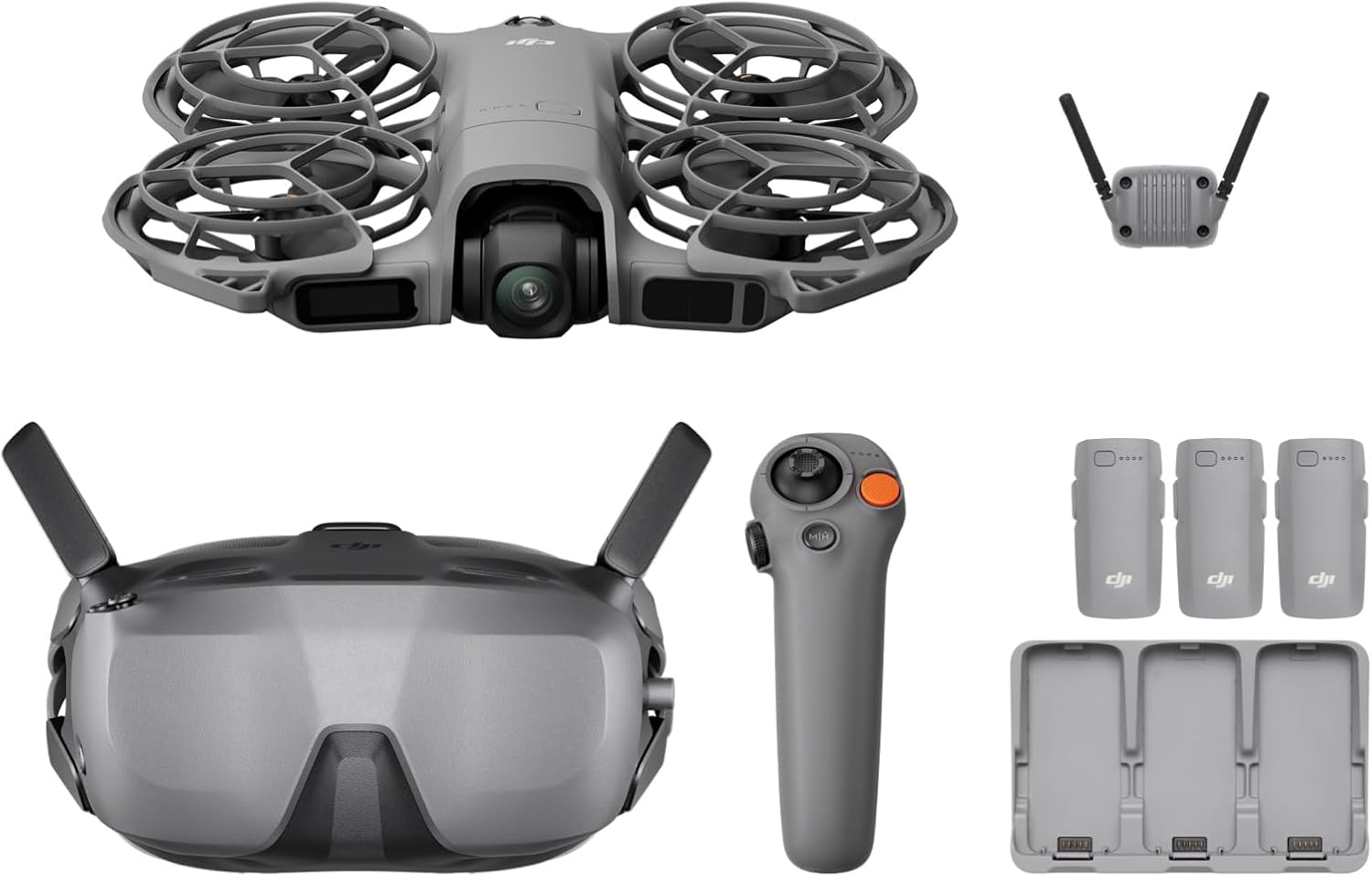
Our pick: DJI Neo 2 Motion Fly More Combo With RC Motion 3 & Goggles N3
 Visit on Amazon →
The case for a combo over buying pieces is the control link. The goggles and the RC Motion 3 arrive in the same box as the aircraft, which means one purchase, one firmware ecosystem, and no week of guessing whether your goggles will bind to your radio.
The motion controller is the part that matters for a new pilot. You fly by moving your hand, which is a much shorter path to "I am flying" than learning two sticks and a mode switch on day one. It is not the same as manual or acro flight, and it will not teach you stick control, but it does keep your first ten flights out of the trees.
The Fly More label is DJI's way of saying there are extra batteries and a bag in the box. In Phoenix, the extra battery is the whole point. Heat is the battery killer here. I have lost two packs to summer, both swollen and dead at around 80 percent health, and both because they sat in a hot car between flights.
Flaws but not dealbreakers: goggles take a few flights to get comfortable, and if you are prone to motion sickness, keep the first sessions short. Motion control also has a ceiling. The day you want manual rates, you will want a real radio.
Beginners who want one box, one setup session, and a spare pack in the bag should start here.
What to have on the shelf before you crash
The kit gets you flying. This is the purchase that keeps a bad afternoon from ending your season.
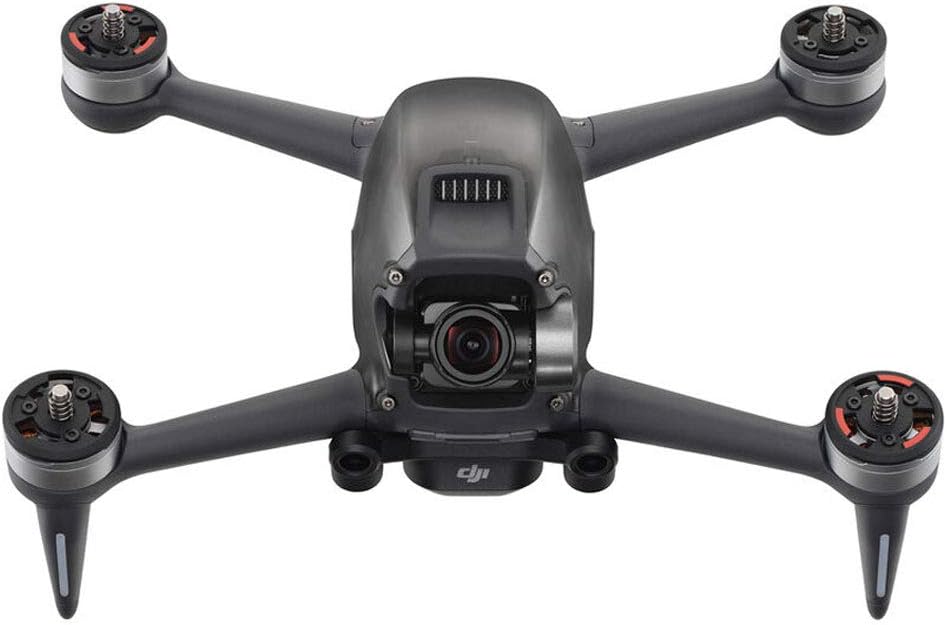
Crash-day pick: DJI FPV Drone Replacement Aircraft only(Includes Gimbal Camera) for Crash or Lost - NEW
 Visit on Amazon →
This is the least glamorous purchase in the hobby and the one that decides whether a crash costs you a week or a whole season. It is an aircraft-only listing: the airframe and the gimbal camera are what arrive, and the batteries, props, controller, and goggles are what you already own. If your crash broke an arm or killed the gimbal, that is exactly the trade you want. One part, and no re-buying the control link you already paid for.
The caveat is the one people get wrong. An aircraft-only listing assumes you are already inside that aircraft's ecosystem. Before you order, confirm that your batteries, props, and controller belong to the same family as the airframe you are replacing. A replacement from a different line will not bind to your gear, and then you own an expensive shelf ornament.
One more thing: if the crash took the battery with it, or the pack is swollen, dented, or smells sweet, retire it. A damaged pack is the only part of a drone that can genuinely hurt you.
Flaws but not dealbreakers: the name tells you what is not in the box. Budget for props and a battery if yours did not survive the impact.
Pilots who already own the batteries and controller for this airframe, and who want to keep flying it instead of replacing the entire setup, should look here.
The setup workflow, step by step
This order works on any GPS-stabilized FPV kit. Each step fails loudly if the one before it was skipped.
Step one: charge the night before, and never charge a warm pack. If a battery is warm from the car or from a flight, let it come back to room temperature first. Charge the night before you fly, not the week before, because a full pack that sits loses more than you think.
Step two: update firmware at home, on wifi, with the app already signed in. This is the step that eats first flights: account creation, a large download, and a controller that needs its own update. Do it at your desk, not standing in a field.
Step three: bind in the right order. Goggles first, then controller, then aircraft. Power the aircraft first and it can spend a minute hunting for a signal that is not there yet.
Step four: set your limits before the first flight, not after. Beginner or normal mode, a distance cap you can walk, an altitude cap under the legal ceiling, and a return-to-home altitude above the tallest thing within a mile. Ten minutes here saves airframes.
Step five: calibrate the compass and the IMU away from metal. Concrete with rebar under it, a car hood, and a steel bench are all bad spots. Calibrate on grass or dirt, well clear of anything metal, even if the aircraft seems fine.
Step six: run a preflight. Props seated and not nicked, gimbal clamp off, ND filter on if you are shooting in daylight, battery latched, GPS lock acquired. With the power off, move the gimbal by hand and make sure it travels freely.
Step seven: first flight in an open field, no wind, under 100 feet. Hover, listen, land. Check battery temperature and the gimbal horizon. If the horizon is tilted, recalibrate the gimbal on a level surface before you blame the aircraft.
Step eight: land at 30 percent, not at the low battery alarm. The alarm is a suggestion, and in heat it arrives late. I land commercial flights at 30 percent because that is where packs stay healthy and where I still have power to fight wind on the way home.
After a crash: how to get back in the air
Find it before you buy anything. Check the flight log for the last recorded position. Most "lost" drones are 200 feet from where the pilot was standing.
Assess in order: frame and arms, gimbal ribbon and camera glass, props, then the battery. A swollen or dented pack is retired, no exceptions.
Decide repair or replace. A cracked arm or a dead gimbal on an airframe you already own points to an aircraft-only replacement. A bent motor, a cracked board, or water damage usually points to a full replacement.
Move your gear over. Batteries, props, controller, and goggles carry across from the airframe you already own, as long as it is the same family.
Re-bind and re-calibrate. A new airframe needs a fresh compass and IMU calibration and a fresh bind to your goggles and controller. Do that at home.
Test low, then fly. Ten feet, one minute, land, check temperatures and the gimbal horizon.
What this guide is not
Two things are deliberately out of scope. First, racing builds. Soldering, tuning, and analog video are a different hobby with a different failure mode, and no part of this workflow applies to a five-inch quad you built yourself. Second, enterprise and thermal work. RTK, thermal payloads, and night-operation waivers belong in their own guide, and that gear is not the gear you buy for a first FPV flight.
What this all costs
The sticker on the aircraft is not the cost of the hobby. The cost is the ecosystem around it: a second battery, a set of spare props, an ND filter for daylight, and the replacement airframe you eventually want on the shelf so a crash costs you an order instead of a season.
Two places to save money. Buy the combo instead of three separate purchases, because the control link is the expensive part and buying it once beats buying it twice. And skip the accessories you have not broken yet. A hard case and a prop guard are worth buying after you have needed them, not before.
Check current Amazon price on both listings before you decide, because these move with sales, and the math only works if the combo lands close to the sum of its parts. Budget for one spare pack either way. In Phoenix, it is not optional.
None of this is complicated. Charge, update, bind, limit, calibrate, preflight, fly, land early. Do it in that order and the hobby stays fun, and the only thing you replace is the occasional prop.