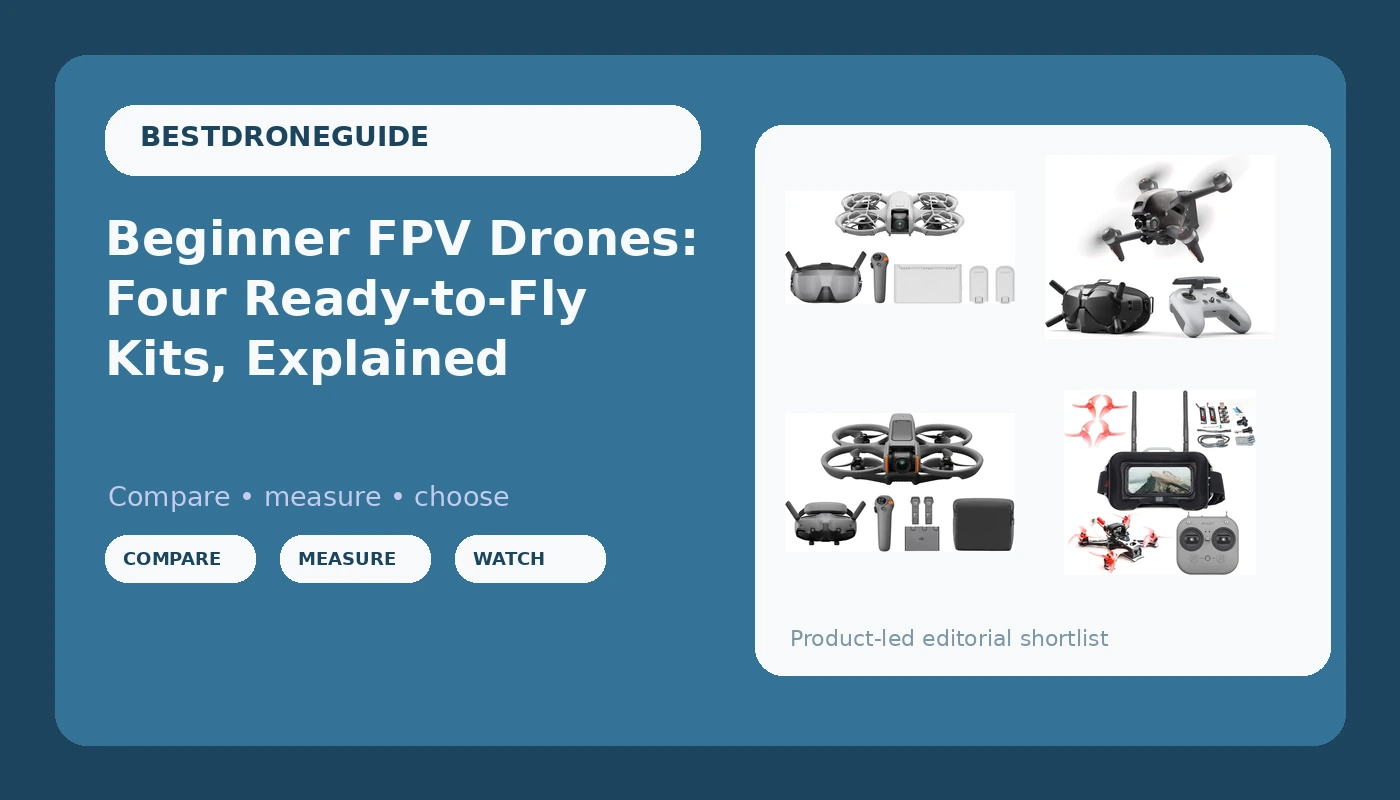
FPV flight looks effortless in a two-minute highlight reel and feels completely different the first time you pull on goggles. If you are shopping for beginner FPV drones, the deciding question is not which quad has the biggest number on its spec sheet. It is which kit arrives with a working aircraft, a controller, goggles, and enough batteries to fly more than one pack before you drive home. Four kits sit in that conversation right now: two DJI bundles, a renewed DJI FPV combo, and an analog ready-to-fly trainer from Tinyhawk. They are not interchangeable, and the differences that matter most are the ones the marketing copy buries, starting with how the video reaches your eyes, whether the drone flies itself, and what happens to the batteries in an Arizona summer.
Related: How Drone Flight-Time Claims Fall Apart in Real Heat →
Quick answer
The fastest route into FPV is a ready-to-fly kit that includes the controller and the goggles, because buying those two items separately is where most first-timers lose a month and a lot of money. Of the four kits here, the DJI Neo Motion Fly More Combo is the one built for the least prior experience: it pairs a mini 4K camera drone with a motion controller and a Fly More bundle, so you can be flying on day one without manual stick skills. If you specifically want to learn manual acro flight, the Tinyhawk 3 Freestyle PLUS+ RTF Kit is the only one of the four that is a raw analog freestyle quad with controller and goggles in the box.
Four useful options
| Model | Best fit | What stands out |
|---|---|---|
| DJI Neo Motion Fly More Combo | First flights and casual 4K clips | Mini 4K camera drone sold as a motion-controller Fly More bundle |
| DJI Avata 2 Fly More Combo (3 Batteries) | Guarded FPV flying near objects | Goggles 3 and RC Motion 3 included, three batteries, built-in propeller guard |
| DJI FPV Drone Combo with Remote Controller and Goggles (Renewed) | Pilots who want manual FPV with a camera | Renewed combo that includes the remote controller and goggles |
| Tinyhawk 3 Freestyle PLUS+ RTF Kit | Learning stick skills and surviving crashes | ELRS analog ready-to-fly quad with a carbon fiber frame, controller, and goggles |
The easiest entry point: DJI Neo Motion Fly More Combo
The Neo's appeal is that it removes the two biggest early obstacles at once: manual flight and battery count. A mini-class airframe is light, which is wonderful for travel and less wonderful in gusty wind, and a small camera is a daylight camera, so plan around softer light rather than fighting contrast at noon. What the Neo does not do is teach you acro. If your goal is clean clips with minimal homework, that is a feature. If your goal is stick skills, it is a ceiling you will hit in a few weekends.
The all-in-one FPV kit: DJI Avata 2 Fly More Combo (3 Batteries)
The propeller guard is the quiet hero of this kit. Ducted props let you fly closer to walls, branches, and people without turning a small mistake into a cracked frame, which is exactly the margin a new FPV pilot needs. Goggles 3 and the RC Motion 3 are included, so the video link and the control method are both solved before you unbox. Three batteries matter more than any single spec line, because FPV packs are the real consumable in this hobby. The trade-off is momentum: this is a ducted airframe with mass behind it, not a featherweight mini, and it flies like it.
The manual-flight option: DJI FPV Drone Combo with Remote Controller and Goggles (Renewed)
A renewed listing changes the math. This combo includes the remote controller and the goggles, which together are most of the FPV entry cost, and the aircraft is a camera-carrying FPV drone rather than a stripped racing frame. The catch is battery history. Lithium packs are consumables: they lose capacity with every cycle and lose it faster with heat, and a renewed kit may arrive with packs whose remaining life you cannot verify from a product page. Plan to buy at least one fresh battery, read the condition notes carefully, and confirm the return window before you commit.
The skills trainer: Tinyhawk 3 Freestyle PLUS+ RTF Kit Ready To Fly ELRS Analog FPV Drone Mini Racing Quadcopter
Analog video is the old-school option and that is not an insult. It is inexpensive to repair, simple to troubleshoot, and this quad's carbon fiber frame is built to absorb the crashes that actually teach you to fly. The ELRS radio link is a modern open protocol, so the controller in this kit is not a dead end you throw away in three months. What you give up is footage. This is a trainer and a freestyle quad, not a camera drone, and no amount of editing turns an analog feed into a 4K clip. Buy it to learn, not to deliver.
Prices and availability may change. Product images, names, and retailer links are matched to verified listings. No current price, rating, stock status, or measured result is stated here without current evidence.
FPV, analog, and digital: what the words actually mean
First-person view simply means you fly through goggles fed by a camera on the aircraft, instead of watching the drone from the ground. That single change is why FPV feels like flight and why it is harder than it looks: you lose your peripheral sense of where the ground is, and depth perception through a lens is a learned skill.
The video link comes in two families. Analog is the traditional system: a lower-cost, low-latency feed that degrades gradually into static as you fly behind objects, which is why it survives in the racing and trainer world. Digital systems deliver a much cleaner image but cost more per air unit and per repair. Neither is "better" in the abstract; they serve different goals, and the Tinyhawk kit sits firmly in the analog camp while the DJI kits use digital video.
Control mode matters just as much. Assisted modes hold position and stop the aircraft when you release the sticks, which is why the Neo and the motion-controller kits feel approachable on day one. Manual, or acro, mode does not self-level: the quad keeps rotating until you counter it, and that is the mode freestyle pilots live in. Motion controllers sit in between, letting you point and squeeze rather than manage two sticks at once.
One regulatory note worth checking before you buy: in the United States, recreational drones under 250 grams fall outside the registration requirement that applies above that line, which is part of why mini-class aircraft dominate the entry segment. Commercial operations are registered regardless of weight, and rules differ by country, so verify the current requirements where you fly.
How to compare a ready-to-fly kit without getting burned
Kits differ less in raw capability than in what is included and what you will have to buy later. Work through the same five steps every time:
- Write down what is actually in the box: aircraft, controller, goggles, battery count, charger, spare props.
- Decide whether you want assisted flight or manual acro first, because that choice eliminates half the market immediately.
- Choose the video system deliberately: analog for cheap repairs and trainer durability, digital for footage you intend to deliver.
- Price the consumables before you buy: spare batteries, a second charger, and props add up fast on any platform.
- Read the listing's condition and return terms, especially on renewed stock where battery history is unknown.
What to sort out before the first flight
- Register the aircraft if your local rules require it, and complete any required knowledge test before you fly.
- Charge and cycle every battery once at home, then label the packs so you can track which ones are aging.
- Store packs at a partial charge rather than full, and never leave them in a hot car; heat is what kills lithium.
- Set a conservative first-flight timer and land at the low-battery warning, not at the forced-landing threshold.
- Update firmware and confirm the goggles and controller are bound on the bench, not at the field.
Which option should you choose?
Choose the DJI Neo Motion Fly More Combo when you want usable 4K clips with the least possible learning curve and a bundle that includes extra batteries. Choose the DJI Avata 2 Fly More Combo (3 Batteries) when you want the full FPV experience with goggles and a motion controller included, guarded props for flying near objects, and three packs to burn through in an afternoon. Choose the DJI FPV Drone Combo with Remote Controller and Goggles (Renewed) when you want manual FPV flight with a camera and are comfortable buying renewed stock after reading the condition notes. Choose the Tinyhawk 3 Freestyle PLUS+ RTF Kit when your actual goal is stick skills, crash tolerance, and cheap repairs rather than finished footage.
No price, rating, or flight-time figure is stated for any of these kits here, and the four listings can change stock, bundles, and included accessories without notice. Renewed inventory in particular varies unit to unit, so treat the listing details as the source of truth at the moment you buy.
The bottom line
Beginner FPV drones are a bundle decision, not a spec-sheet decision. The aircraft matters, but the controller, goggles, battery count, and video system decide whether you are flying next weekend or shopping again. Start with the DJI Neo Motion Fly More Combo if you want footage first and skills second. Step up to the DJI Avata 2 Fly More Combo if you want guarded, goggles-on FPV with batteries included. Consider the renewed DJI FPV Drone Combo if manual flight with a camera is the goal and you are willing to inspect what you receive. And if learning to fly is the whole point, the Tinyhawk 3 Freestyle PLUS+ RTF Kit is the one that teaches you.