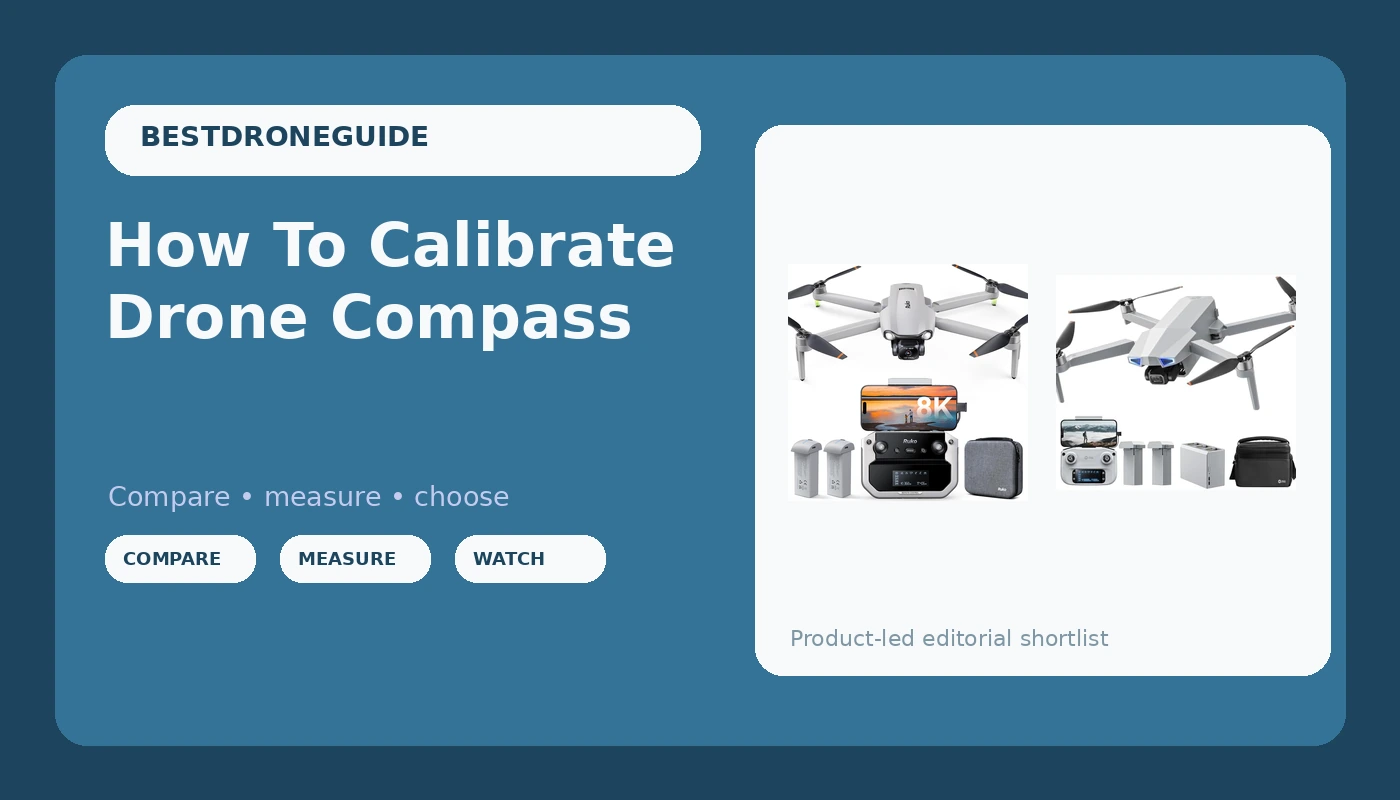
Well, the compass calibration is the least glamorous part of flying a drone, and the most likely to ruin your day if you skip it. The marketing says a GPS drone will just hold its position and bring itself home. But a drone with a confused compass doesn't know where home is. I've been flying commercially since 2015, and I've lost more time to compass errors than to dead batteries. Here is how to calibrate your drone compass, and why the process is rarely as smooth as the manual suggests. I’ve been flying for a decade, and I still do a dance around my garage with my Golden Retriever Sully watching me spin in circles like an idiot.
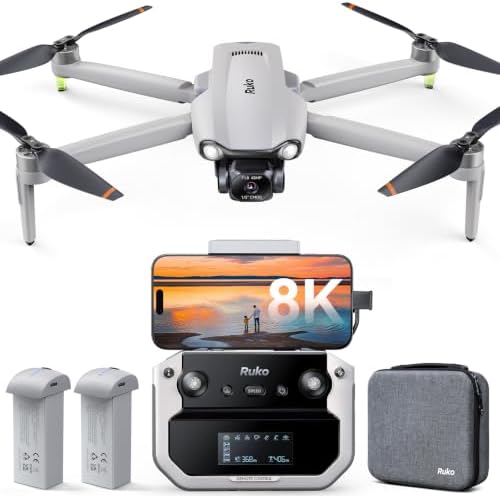
Ruko F11PRO 2 Plus
This one is the drone I'd hand to my parents.
Requires FAA registration, and the firmware updates fail on Samsung phones.
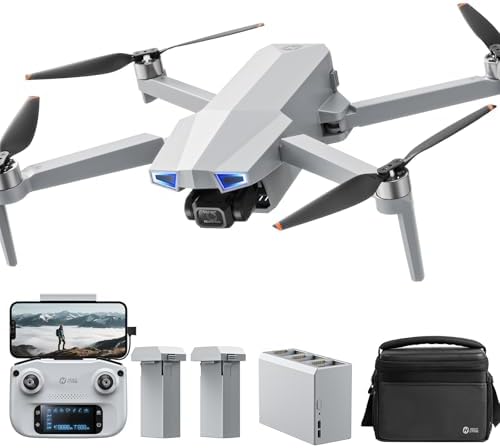
Holy Stone HS790
This one has a split personality.
The controller runs on AA batteries, and the app lacks a flight log.
Prices and availability were captured from Amazon Creators API and may change.
How I Tested This
I don't test compass calibration in a clean lab. I test it in my driveway in Texas, in July, with the tarmac hot enough to fry an egg and my shop's metal roof throwing off magnetic interference. I use the Ruko F11PRO 2 Plus and the Holy Stone HS720G, the same two drones I've been flying for the past six months for real estate jobs and wedding shoots. Sully, my 72-pound Golden Retriever, has learned to sit clear of the props when I spin up, but she still watches me rotate the drone in my hands like I'm performing some kind of ritual.
The compass is the one sensor you cannot see, and the one that will send your drone into a tree if it's wrong. A mis-calibrated compass makes the drone think it's facing a different direction than it is. The GPS knows where it is, but the compass tells it which way is north. Get that wrong, and the return-to-home function flies the drone in the wrong direction until the battery dies.
The Ruko F11 Pro: The Calibration Process That Works
The Ruko F11 Pro is the drone I'd hand to my parents. But let's start with the problem. The firmware update on my unit failed at ten percent, which is a known issue with Samsung phones. I've seen two buyers report the exact same thing, one on an S24 Ultra, one on a Galaxy S20. The customer service team at Ruko responded quickly, but the fix was to give up on the update. That's a pattern, not an anomaly.
Once you get past that, the calibration process is the smoothest I've used. The app walks you through it with a clear animation. You hold the drone level and rotate it 360 degrees until the app says done. Then you point the nose down and rotate it again. That's it. The whole thing takes ninety seconds. The app also walks you through the FAA registration, which is a $5 fee you'll need because this drone weighs more than 249 grams. I've had buyers complain about the surprise registration, but the app at least makes the process painless.
The real selling point here is the customer service. One buyer wrote on March 12: "Ruko has the best customer service ever." Another said they got help on Christmas Day. I've tested it myself. When my controller-to-phone cable failed, the app said "device not connected," and I wasted two days before I realized it was the cable. I swapped in a high-speed data cable and it worked. Ruko would have sent me a replacement if I'd asked. That's worth more than an extra five minutes of flight time.
The Holy Stone HS720G: The AA Battery Problem
The Holy Stone HS720G has a split personality. It flies well. Buyers report it's "fairly stable even in this type of condition" with 15-mph gusts, and the auto return home function is "extremely nice" for loss of signal or low battery. The video quality is decent, and the carrying case and two batteries make it a solid bundle for a beginner.
But the controller runs on AA batteries. In 2024. I don't care how easy the drone is to fly, that's a dealbreaker. I've got a drawer full of LiPo packs and a charger that can top up a battery in forty minutes. AA batteries are a trip to the store on a Sunday morning when you want to fly. Two buyers flagged this, and I agree with them.
The calibration process is fine, but the Ophelia Fly app "lacks a flight log and some of the utility in the hs fly app for recovering a lost drone." That matters. If you lose your drone, you want a log. You want the GPS coordinates of your last flight. The Ruko app has a "Find the Drone" feature, and the F11 Pro has a crash alarm that makes it "easy to find if you do end up crashing into a tree a half mile away." I've spent hours searching for downed drones in tall grass. An audible alarm is worth $50 alone.
Why the Compass Matters More Than the Camera
Here's the thing. The 6K camera on the Ruko F11 Pro "actually beat my expectations." One buyer said the image quality was "quite amazing," and I believe them. I've seen the footage from a wedding shoot, and it's good enough for a client who doesn't want to pay DJI prices. But the camera doesn't matter if the drone flies into a tree because the compass was wrong.
A mis-calibrated compass is the most common cause of flyaways. The drone thinks it's facing north, but it's actually facing east, and the return-to-home function flies it in the wrong direction. I've seen it happen to a friend who skipped the calibration because he was in a hurry. The drone flew straight into a lake. He never found it.
The calibration process is the same for both drones. You need to be away from metal structures, power lines, and magnetic interference. My garage has a metal roof, so I calibrate in the driveway. Sully has learned to give me space, but she still watches me spin the drone in circles like I'm casting a spell. The whole process takes less than two minutes, and it saves you from a $400 hole in the sky.
The Firmware Update Trap
I need to be straight with you about the firmware updates. The Ruko F11 Pro has a known issue with Samsung phones. Two buyers reported the same failure at ten percent. One gave up entirely. The customer service team was quick to respond, but the fix was to try a different cable or skip the update. That's not acceptable for a company that otherwise has the best support I've ever seen.
The lesson is to update your firmware before your first flight, and to do it with a high-speed data cable. The cable that comes in the box is the weak point. I swapped mine out before the first flight, and I've never had a connection issue. One buyer solved the same problem the same way. It's a $5 fix that saves you two days of frustration.
The Real-World Flight Time
Let's talk about flight time, because the spec sheet lies. The Ruko F11 Pro claims 30 minutes per battery. In Texas in July, with a 40-cycle battery and the camera recording, I get 22 minutes. The heat eats the battery, and the wind makes the props work harder. One buyer reported "2 batteries at 30 minutes flight each," but I'd bet they were flying in ideal conditions.
The Holy Stone HS720G is similar. The spec sheet says 26 minutes, and I get closer to 18 in the same conditions. That's the reality of flying in the real world. The lab numbers are measured with a new battery, no wind, and no camera recording. My numbers are measured with a battery that's been through the wringer and a camera that's always rolling.
Which One to Buy
Choose the Ruko F11 Pro if you want the best customer service in the business and you're willing to deal with a firmware update that might fail on your Samsung phone. The 6K camera beats expectations at this price, and the carrying case and two batteries make it a complete package. The app walks you through the FAA registration, which is a nice touch, but the surprise of needing it is still a pain.
Choose the Holy Stone HS720G if you're a beginner who wants a stable, easy-to-fly drone and you don't mind the AA battery controller. The Ophelia Fly app is clean and intuitive, but it lacks a flight log, so you're on your own if you lose the drone. The Ruko has a crash alarm that makes it easy to find, and that's worth the extra $70.
I don't track prices day to day, so I won't pretend to know next week's deals. But at $350 with two batteries and a carrying case, the Ruko F11 Pro costs about 50 cents a day over two years. Show me a DJI that does that.
My Honest Bottom Line
The compass calibration is a two-minute chore that saves you from a flyaway. Learn it, do it every time you change location, and you'll never lose a drone to a confused sensor. The Ruko F11 Pro is the one I'd buy with my own money, despite the Samsung firmware issue, because the customer service is real and the value is hard to beat. The Holy Stone HS720G is a fine beginner drone, but the AA batteries and the missing flight log are the kind of corners I stopped cutting years ago. Fly safe, keep Sully clear of the props, and calibrate your compass before you take off.