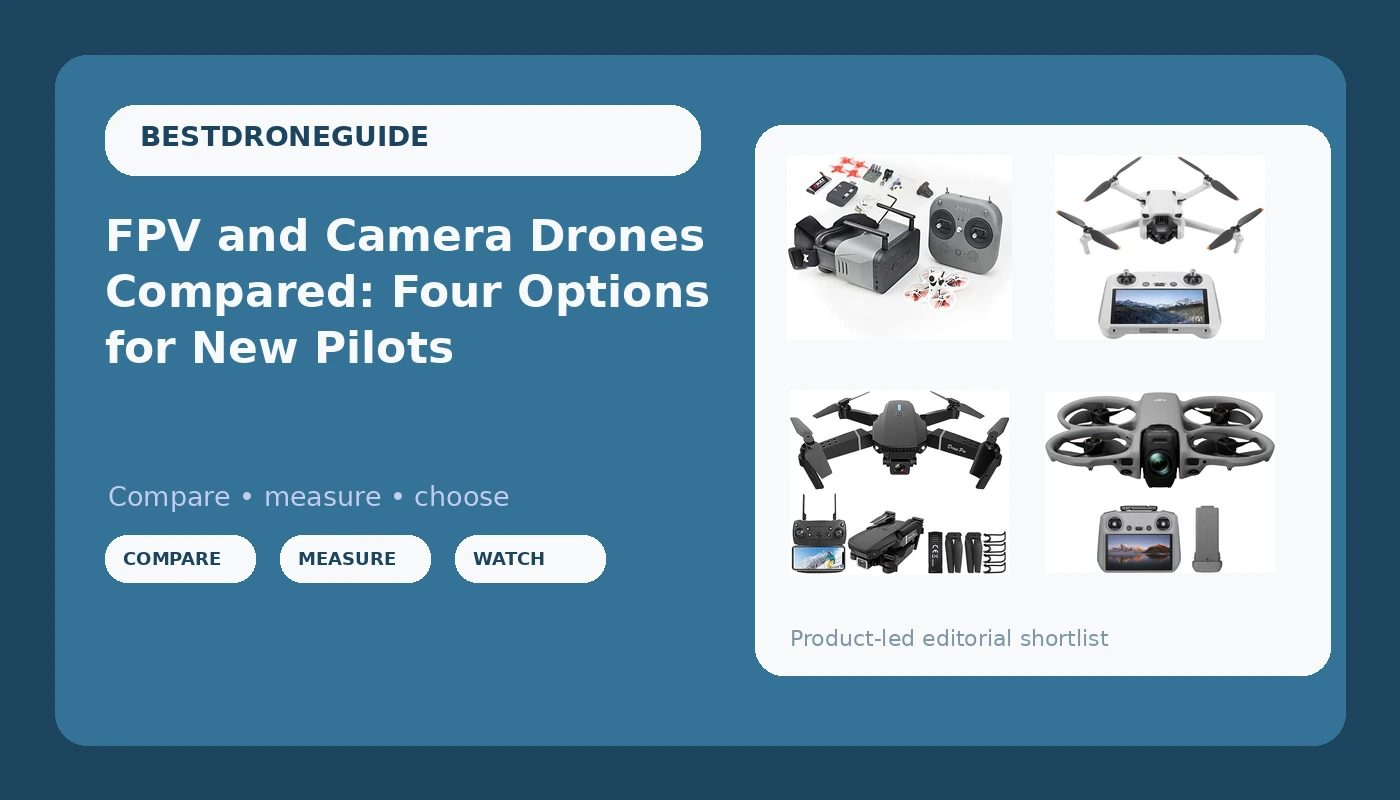
Most people shopping for a first drone are really choosing between four different hobbies. One is a cheap way to find out whether you enjoy flying at all. One is FPV, where you wear goggles and fly from the aircraft's point of view. One is aerial photography, where the drone is mostly a camera that happens to hover. One is 360 capture, where the camera records everything around it and you decide the framing later in editing. This guide walks through a beginner FPV and camera drone from each of those groups, explains what each one is genuinely built for, and shows where the money and the frustration actually go after checkout.
Related: How to Read Drone Flight Time Claims →
Quick answer
Match the drone to the job, not to the spec list. For a low-risk first flight, pick the foldable mini camera quad. For learning FPV with the goggles, radio, and aircraft in one box, pick the Tinyhawk 3 RTF Kit. For stabilized aerial photos and video you would be comfortable handing to a client, pick the DJI Mini 3 with DJI RC. For footage that captures every direction at once, pick the DJI Avata 360. All four fly, and none of them is a mistake. What separates them is control style, camera system, and how much of your budget goes into batteries and accessories after the initial purchase.
Four useful options
Each option below covers a distinct job. Find the row that matches your intent, then read the callout underneath it.
| Model | Where it fits | What stands out |
|---|---|---|
| Mini Drone with Camera for Adults, Foldable WiFi FPV Quadcopter (INS+ Black) | First flights, calm air, backyard practice | Foldable frame with carrying case, one key take off/land, altitude hold, headless mode, 360 flip, WiFi HD FPV live video |
| Tinyhawk 3 RTF Kit 1s FRSKY FPV Drone for Beginners | Learning FPV from scratch | Ready-to-fly kit that includes the aircraft, a controller, and goggles |
| DJI Mini 3 With DJI RC | Everyday aerial photo and video | 3-axis mechanical gimbal and the DJI RC controller included |
| DJI Avata 360 (RC 2) | Immersive footage you reframe in editing | 8K 360 degree camera drone with the RC 2 controller |
The first drone: the foldable mini camera quad
This is the class of drone to buy when the honest answer to "will I stick with this?" is "I don't know yet." It is small, it is foldable, and the feature list is written for someone who has never held a transmitter. Headless mode exists precisely because new pilots lose track of which way the nose is pointing, and altitude hold removes the hardest part of hovering.
The trade-off is that a light airframe and a phone-based video feed have limits. Wind moves small drones around, and a WiFi link between drone and phone is not the same thing as the dedicated radio links used on camera drones and FPV gear. Fly it in open space on a calm morning, treat the camera as a bonus rather than the point, and you will get exactly what this category promises: stick time.
The FPV trainer: the Tinyhawk 3 RTF Kit
FPV is a different sport, not a different camera. You fly from inside the aircraft, the horizon tilts, and the muscle memory you built on a phone-screen drone translates only partly. What makes this kit sensible for a beginner is that it removes the shopping problem. Building an FPV drone from parts means picking a frame, motors, a flight controller, a video transmitter, goggles, and a radio that all agree with each other. An RTF kit skips that.
The trade-off is commitment to a learning curve. Budget for spare props, because you will break them, and for several 1S batteries, because a small cell in a small aircraft means short sessions with quick swaps. Fly line of sight in an open field for the first few packs, keep the goggles for later, and the transition to full FPV will be far less expensive in props.
The everyday camera drone: the DJI Mini 3 with DJI RC
This is the conventional answer for someone whose goal is the footage rather than the flying. A mechanical gimbal is the single most important difference between drone video that looks professional and drone video that looks like a phone taped to a ceiling fan, and a controller with its own screen removes the small daily friction of phone mounts, cables, and notifications interrupting the app mid-flight.
Two things worth knowing before you buy into this class. First, sensor size beats megapixel counts, and a mini-class camera trades low-light performance for the size and weight that make the aircraft easy to carry and easy to fly. Second, the app is part of the product. Firmware updates, geofencing, and flight logs all live there, so do the setup at home on good WiFi rather than in a field with one bar. If you shoot video seriously, add ND filters, which cut light so your shutter speed can stay near double your frame rate and motion stops looking harsh.
The 360 option: the DJI Avata 360
A 360 camera changes the workflow more than it changes the flying. You are not framing in the air, because the frame does not exist yet. You fly through the space, then go home and pick the shot, which means a single pass can produce a wide establishing view, a tight follow shot, and a slow orbit. That is genuinely useful for real estate, events, and travel, where you rarely get a second take.
The trade-off is post-production. 360 footage means large files, a heavier editing load, and a different way of thinking about composition. It also rewards smooth flying, since the reframe will expose every twitchy stick input. Buy this when you want the shot that no ordinary camera drone can produce, and accept that the work continues after you land.
Prices and availability may change. Product images, names, and retailer links are matched to verified listings. No current price, rating, stock status, or measured result is stated here without current evidence.
What actually separates these four drones
Four things separate these aircraft, and none of them is the number in the model name.
Control style. The starter quad streams video to a phone, so you look down at a screen. The FPV kit puts goggles on your face and a camera feed in your eyes. The camera drone uses a controller with its own screen, which is the most practical arrangement for photography. The 360 drone pairs with its own controller and rewards smooth inputs. Pick the control style you will actually use, because the wrong one makes a good drone sit in a closet.
Camera system. A fixed lens on a small quad is a documentation tool. A 3-axis mechanical gimbal is a stabilization system, and it is the reason camera drone footage looks the way it does. A 360 camera is a capture-everything system whose output depends on editing. Each one is the right answer to a different question.
Power and batteries. A 1S aircraft uses a single small cell. Camera drones use larger packs. Batteries are the real cost of drone ownership, they age whether or not you fly, and heat is what kills them. Buy the kit with extra batteries if one is offered, and store packs somewhere cool.
Ecosystem and rules. The app, the spare parts, and the firmware all matter as much as the airframe. So do the regulations where you fly. In the United States, recreational drones above 0.55 pounds require registration, and any flight flown for compensation falls under Part 107 rules regardless of weight. Check the current rules for your country before the first flight, not after.
How to choose in five steps
- Write down what the footage is for. Family clips, a real estate listing, and a 360 travel sequence lead to three different purchases.
- Pick the control style first. Phone screen, goggles, or a screen controller. This decision narrows the field faster than any spec comparison.
- Count the batteries before you commit. A drone with one pack is a drone that flies for a few minutes and then sits on a charger while you wait.
- Check the rules and the airspace where you actually fly. Controlled airspace, parks, and local ordinances can rule out a location entirely.
- Budget for the second purchase. Props, a spare battery, a memory card, ND filters, and a case. The aircraft is the entry fee, not the total.
Practical guidance that saves money and flights
- Buy spare props with the drone, especially for the FPV kit, and buy a spare battery at the same time.
- Charge packs the night before, never in a hot car, and let them cool before charging after a flight.
- Do firmware updates and app setup at home on reliable WiFi. A failed update in the field is a wasted trip.
- Add ND filters for the camera drone if you shoot video. They cost less than a reshoot.
- Practice in a large open field with no people and no obstacles before you try anything creative.
- Keep the gimbal guard and the case matched to the aircraft, and confirm the guard fits with the case closed.
- Log your flights. Battery cycle counts and behavior over time are how you learn when a pack is done.
Which option should you choose?
Choose the Mini Drone with Camera for Adults, Foldable WiFi FPV Quadcopter (INS+ Black) when you want the lowest-risk way to find out whether flying is for you. Choose the Tinyhawk 3 RTF Kit 1s FRSKY FPV Drone for Beginners with Controller and 5.6G Goggles Quadcopter Ready to Fly Kit when you already know you want FPV and you would rather not assemble a parts list first. Choose the DJI Mini 3 With DJI RC when the goal is stabilized aerial photo and video in a package you can carry every day. Choose the DJI Avata 360 (RC 2), 8K 360° Camera Drone when you want immersive footage and you are willing to do the editing work that makes it usable.
One caveat applies to all four. This guide describes what each product is built for, based on the listings themselves, not on measured flight times, camera benchmarks, or range tests. Real flight time depends on temperature, wind, payload, and how aggressively you fly, and advertised numbers are usually recorded in ideal conditions. Confirm what is in the box and what the current listing includes before you buy, because bundles change.
The bottom line
There is no single right first drone, only a right first category. The foldable starter quad teaches you the sticks for very little money. The Tinyhawk 3 RTF Kit hands you the entire FPV experience in one box. The DJI Mini 3 with DJI RC is the workhorse for anyone whose output is photos and video. The DJI Avata 360 is for pilots who want footage that ordinary camera drones cannot produce. Pick the one whose job description matches the flying you picture yourself doing, budget for batteries and props on day one, and the aircraft itself will be the cheapest part of the hobby.