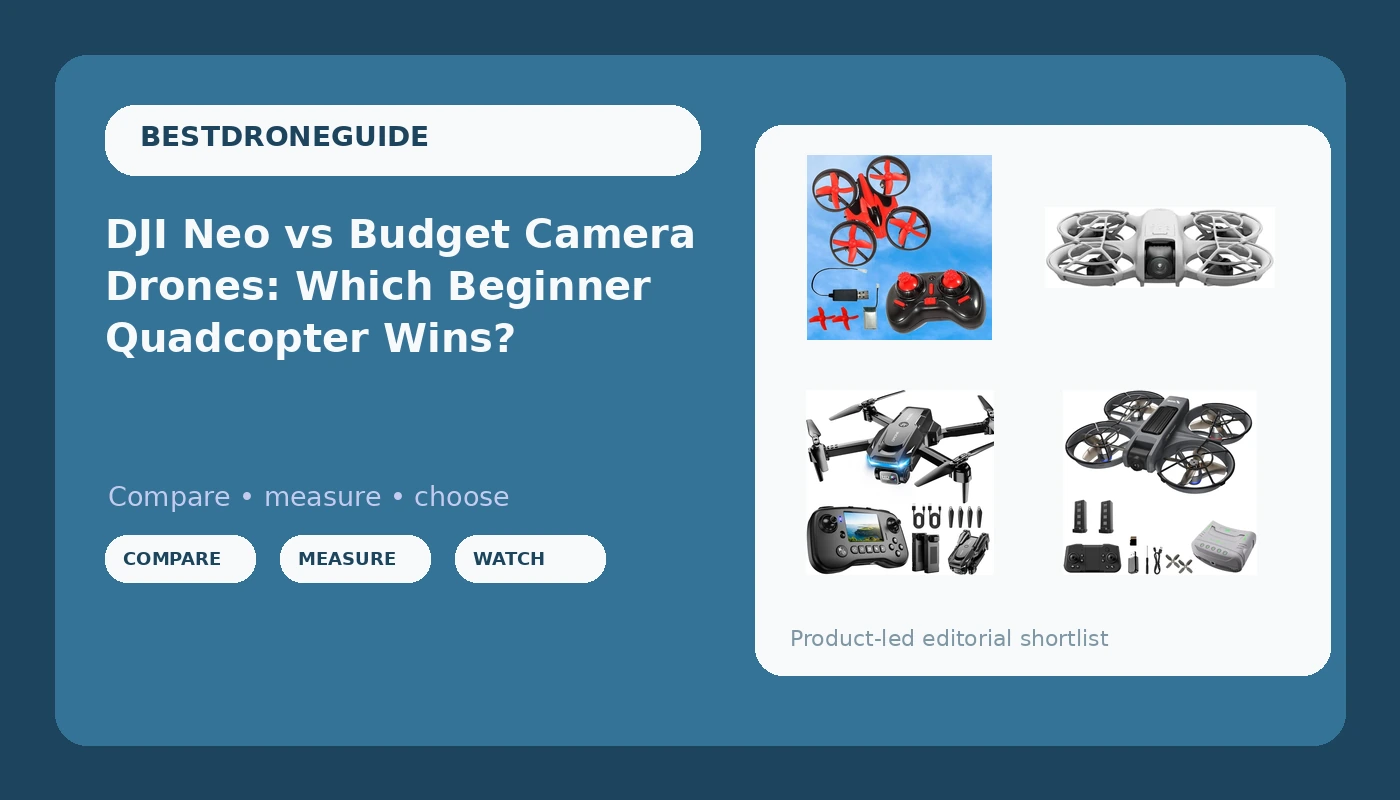
I fly drones for money in Phoenix, which means most of my flights happen in air over 100 degrees with a crosswind pushing me off my line. Every spec sheet I read gets discounted by about a third before I trust a word of it. So when people ask me which camera drones for beginners are actually worth the money, I do not start with megapixels or the "4K" sticker on the box. I start with whether the thing will still be flying in month three, and whether its app will still open without demanding an account update.
Four drones are in this comparison, and they are not the same species of product. There is the DJI Neo, a 135-gram self-flying mini with a stabilized camera. There is a brushless FPV kit that ships with VR glasses. There is a budget quad with a screen built into its controller. And there is a palm-sized trainer aimed at kids. For most adults who want footage they can actually use, the DJI Neo is the only true camera drone in this group. The rest are training tools, which is a legitimate job, as long as nobody sells you a fantasy about what a budget quad can do in wind.
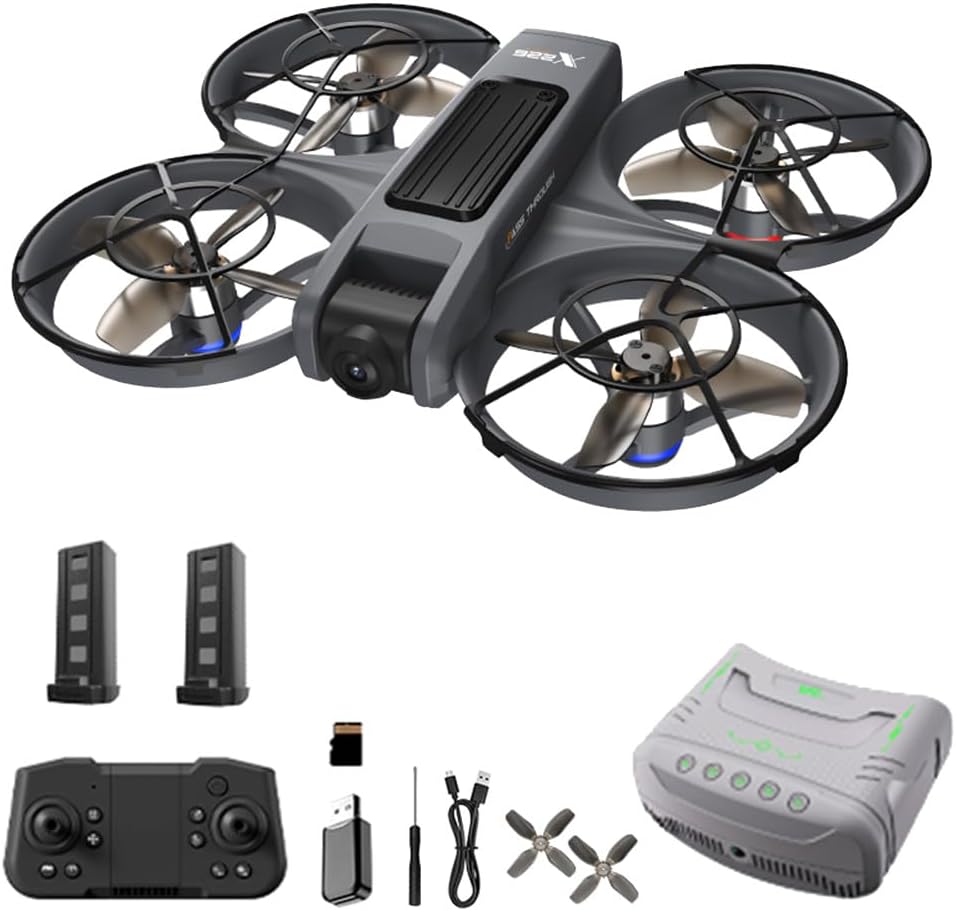
VR FPV Drone with Camera and VR Glasses for Adult Beginner, Brushless Motor
Brushless motors and a headset in one box, the cheapest way to feel what FPV actually is
Toy-grade camera and goggle latency at this tier, so the video is soft and the immersion is approximate
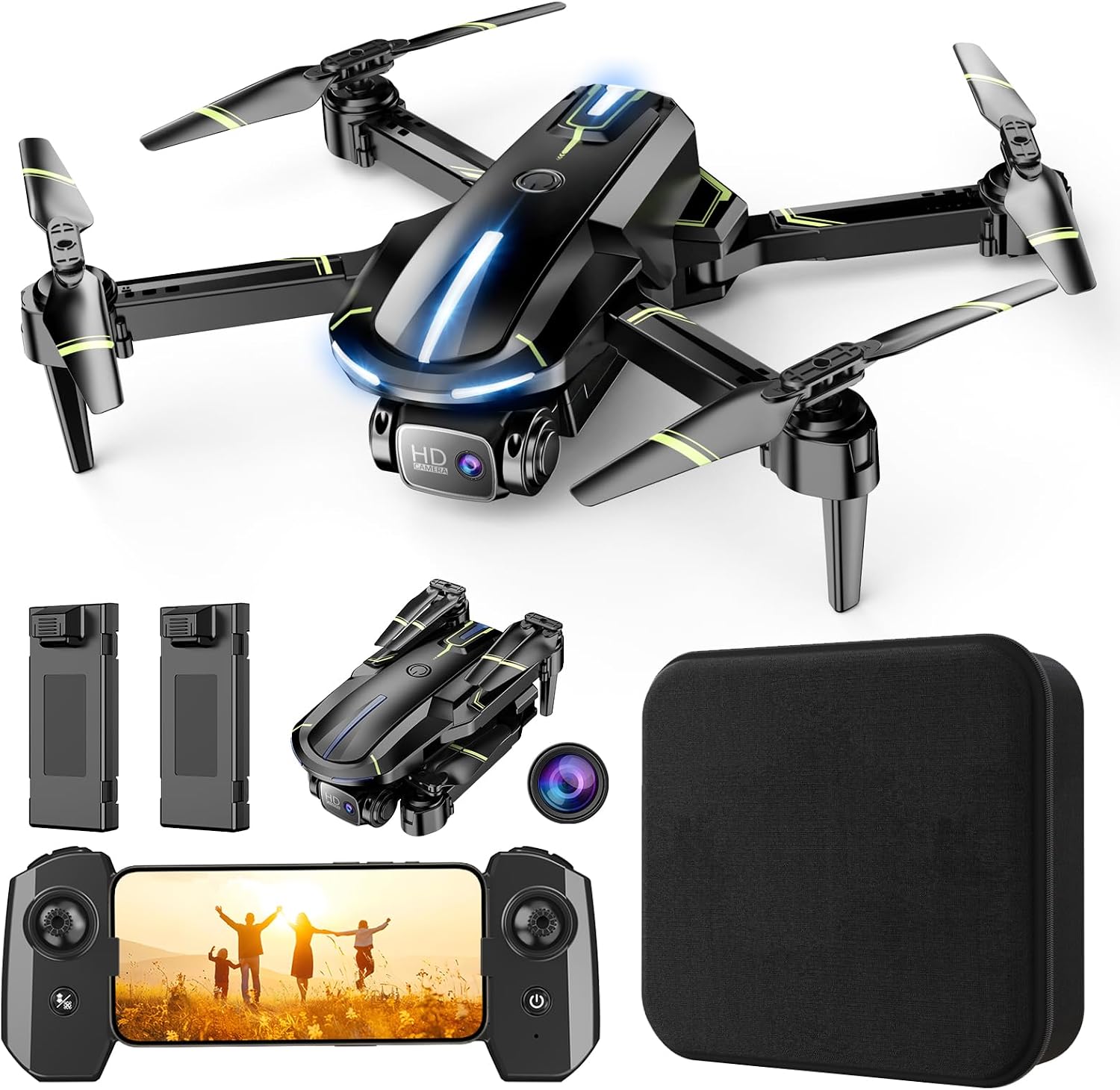
Drone with Camera, Screen on Controller Remote Control Quadcopter FPV Drone
A screen in the controller means no phone, no app, no account, no pairing headaches
No gimbal and no stabilization, so every gust shows up in the footage
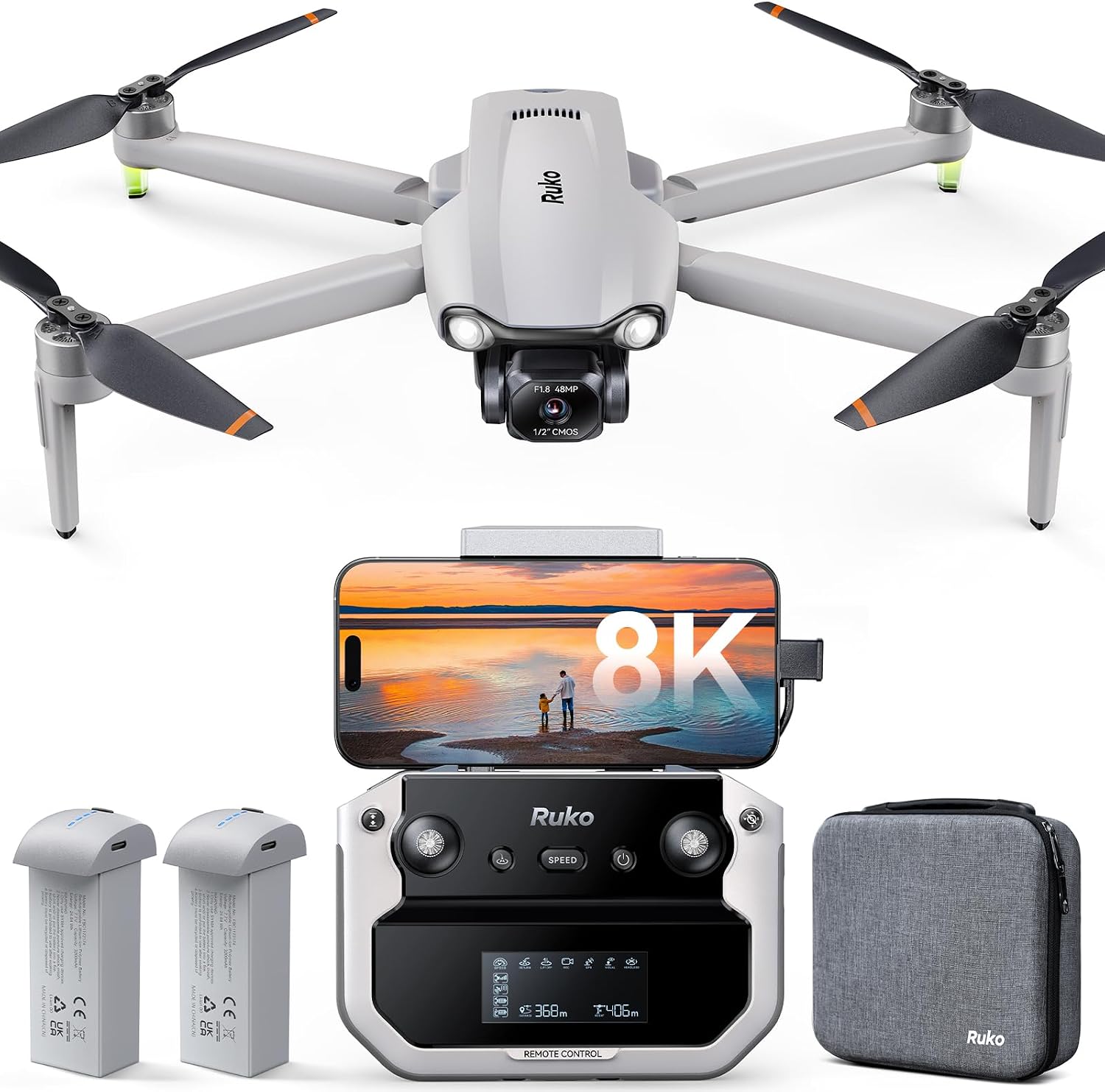
Bangcool 5 Year Old Boy Gifts Mini Drone for Kids RC Nano Quadcopter 2.4G 6 Axis with Altitude Hold Function, Headless Mode Remote Control Best Drone for Beginners & Kids(Red)
Altitude hold and headless mode make a first flight almost impossible to fail
No camera, no footage, and it will not hold position in any real breeze
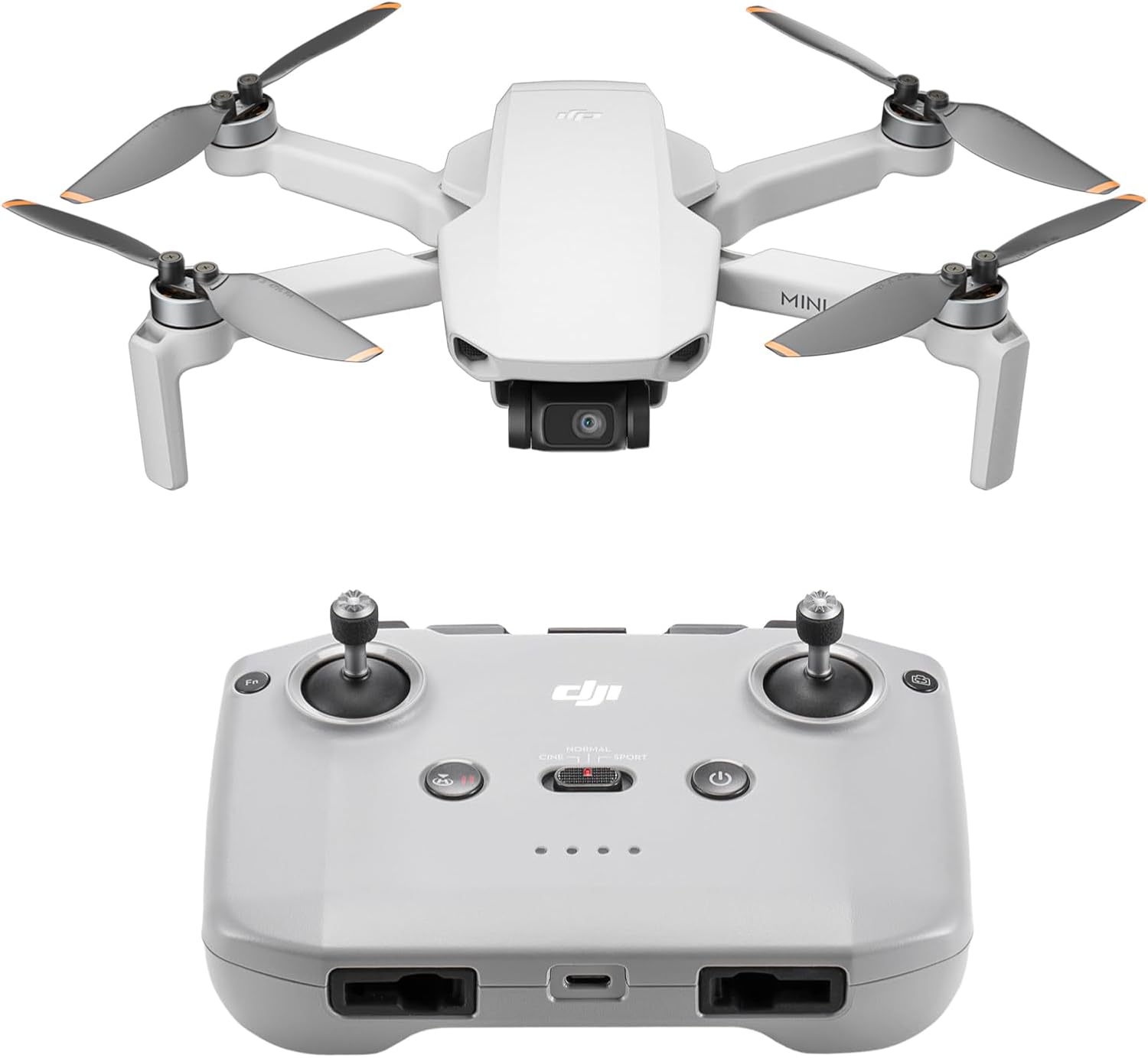
DJI Neo, Mini Drone with 4K UHD Camera for Adults, 135g Self Flying Drone that Follows You, Palm Takeoff, Subject Tracking, QuickShots, Stabilized Video, Built-In Propeller Guard (Controller-Free)
Stabilized video, subject tracking, palm takeoff, and it flies itself while you watch
Controller-free means phone-only control, and the small battery means short sessions
Prices and availability were captured from Amazon Creators API and may change.
The DJI Neo is the only one here that shoots real video
The Neo weighs 135 grams and comes with a built-in propeller guard, which tells you who DJI built it for: someone standing in a park with their hand out. Palm takeoff, subject tracking, and the QuickShots modes mean you can launch it, let it orbit you, and land it back on your hand without ever touching a stick. The camera is stabilized, and that word is doing a lot of work here. Stabilization is the difference between footage you keep and footage you delete.
The controller-free version is the catch. You fly it from your phone, which is fine until your phone overheats in direct sun, which in Phoenix is roughly eleven minutes in July. If you plan to fly seriously, budget for a controller later. My other note is batteries. This is a small airframe with a small pack, and small packs mean short sessions, and short sessions mean you want spares in the bag before you drive anywhere.
Where it fits: travel, hiking, filming yourself, and the kind of casual content that used to require a friend with a camera. It is the one drone in this comparison I would hand to an adult and expect them to still be using it in a year.
The VR FPV kit is the cheapest ticket into goggles
This one is an honest product with an honest limitation. It has brushless motors, which is a genuine upgrade over the brushed motors in most kid-tier quads, and it ships with VR glasses so you can fly in first person. If you have never flown FPV, that first flight through a headset is a real experience, and this is the least expensive way to find out whether the hobby grabs you.
The limitation is the camera and the link. Goggles at this tier are not the digital systems the serious FPV world flies, and the image you see is not the image you get. Expect soft video, expect latency you have to learn around, and expect to crash a lot. That is not a flaw so much as the nature of cheap FPV. Buy it to learn, not to deliver footage to a client. Visit on Amazon → if you want the goggles experience without committing to a real FPV build.
The screen-on-controller quad solves the app problem
I complain constantly about drones whose apps need an account before they will let you update firmware. This quad sidesteps all of it. The screen is on the controller, so there is no phone mount, no pairing dance, no app that breaks after an operating system update. You charge it, you turn it on, you fly. For a beginner, that removes the single most common reason a new drone sits in a closet.
What it does not solve is stability. There is no gimbal here, and no meaningful electronic stabilization, so the moment the wind picks up the footage tilts and jitters. On a dead-calm morning in a backyard it will produce watchable clips. At a park in the afternoon it will produce evidence that you were there, and nothing more. If your goal is a video for social media that looks intentional, this is not the tool. If your goal is to learn to fly and see what you are shooting while you do it, the built-in screen is genuinely useful. Visit on Amazon →.
The Bangcool mini is a trainer, and a good one
Read the name and you know the audience. Altitude hold means it hovers at a fixed height when you let go of the sticks, headless mode means forward is always away from you no matter which way the nose points, and the six-axis gyro keeps it level enough for a kid to learn on. Those three features together are why a small child can fly this thing in a living room and not immediately destroy it.
It has no camera. That is worth saying plainly, because the listing language around beginner drones can blur that line. This is a stick-and-throttle trainer that teaches a five to ten year old what a controller does. It is also light enough that a crash is usually just a crash. Buy it for a kid, or buy it for yourself if you have never touched a transmitter and you want twenty minutes of consequence-free practice before you spend real money. Visit on Amazon →.
What "4K" means at this price tier
Sensor size beats megapixels every single time. A one-inch sensor at 20 megapixels will outshoot a 48 megapixel sensor the size of a grain of rice, because the small sensor has to guess at almost everything in low light. When a budget drone advertises 4K, it is usually upscaling or interpolating, and the result falls apart the moment you look at it on anything bigger than a phone.
The more useful question is whether the camera is stabilized. A stabilized 1080p clip beats shaky 4K in every editing timeline I have ever opened. This is also where ND filters matter, though nobody puts a filter thread on a budget drone. If you shoot in bright sun at a fixed shutter speed, everything looks like a stuttery action movie. The DJI Neo handles some of that in software. The budget quads here handle none of it.
Heat, wind, and the flight-time math
Every flight time on every box was measured in a lab at room temperature with no wind and a fresh pack. Cut the claim by 30 to 40 percent for real conditions and you land somewhere near the truth. In Phoenix summer I plan every flight around battery temperature, not battery percentage. Packs that come down hot are packs that are aging fast, and I have lost batteries to this climate that still reported 80 percent health right up until they swelled.
Practical rules I follow. Do not charge a hot pack. Do not fly a cold pack hard. Land at 25 to 30 percent instead of pushing to the auto-land warning. Buy the kit with spare batteries, because batteries are the real cost of this hobby and one pack means one flight per outing. That last point matters most for the Neo, where the pack is small by design.
Wind is the other variable. Sub-250-gram drones get pushed around, full stop. The Bangcool and the budget quads are fair-weather toys. The Neo handles a light breeze because it is doing a lot of work to hold its position, and the FPV kit will fly in wind but you will feel every gust through the goggles.
Rules and registration, briefly
If a drone weighs under 250 grams and you are flying recreationally in the United States, you get relief from some registration requirements, which is part of why the 135-gram Neo is so appealing. It does not exempt you from the rules. You still need your TRUST certificate, you still stay under 400 feet and away from airports and crowds, and the moment you fly for money, Part 107 applies no matter how small the aircraft is. If you are attaching anything to a drone or flying commercially, assume the paperwork applies and go read the current guidance rather than trusting a forum post from 2019.
Which one should you actually buy
Buying for a young kid: the Bangcool mini. It teaches control, it survives crashes, and it has no camera to break.
Want to know if FPV is for you: the VR FPV kit. Brushless motors and a headset for less than a serious transmitter costs.
Hate phone apps and want to see what you shoot: the screen-on-controller quad.
Want video you can post, edit, or hand to a client: the DJI Neo, and plan on buying a controller and spare batteries eventually.
The short answer
The gap between these four is not a gap in quality, it is a gap in purpose. Three of them exist to teach you to fly or to let you feel what flight is like. One of them exists to bring back footage. If you are an adult who wants a camera drone and you can only buy one thing, buy the Neo and treat everything else on this list as a stepping stone you may not need. If you are buying for a child, buy the trainer and let them crash it in the yard a hundred times. That is how every pilot I know started, including me.