I fly drones for money four or five days a week in Phoenix, mostly real estate, weddings, and solar farm inspections. That means most of my flying happens in air hot enough to cook an egg on a truck hood, and that heat rewrites every number on a spec sheet. A drone advertised at 30 minutes flies 18 in July. A battery that reads 100% health in March swells by August. So when I line up beginner FPV camera drones for comparison, I care less about the biggest claim in the title and more about which one still does its job on the fifth weekend, when the wind is up and the novelty is gone.
Related: Drone Flight Time Claims Vs Real Summer Flying
If you want video stable enough to show someone else, the Bwine F7GB2 Pro is the pick here, because it is the only drone in this group with a real 3-axis gimbal. If you want the cheapest honest way to learn first-person flight without risking an expensive airframe, the foldable sub-250g mini with the LCD controller is the smarter first purchase.
One thing to get out of the way: I have not logged flight hours on these four specific units. What follows is a spec-sheet read from someone who has owned or flown more than 20 drones, plus the questions I would ask before spending my own money. Treat it as a filter, not a flight log.
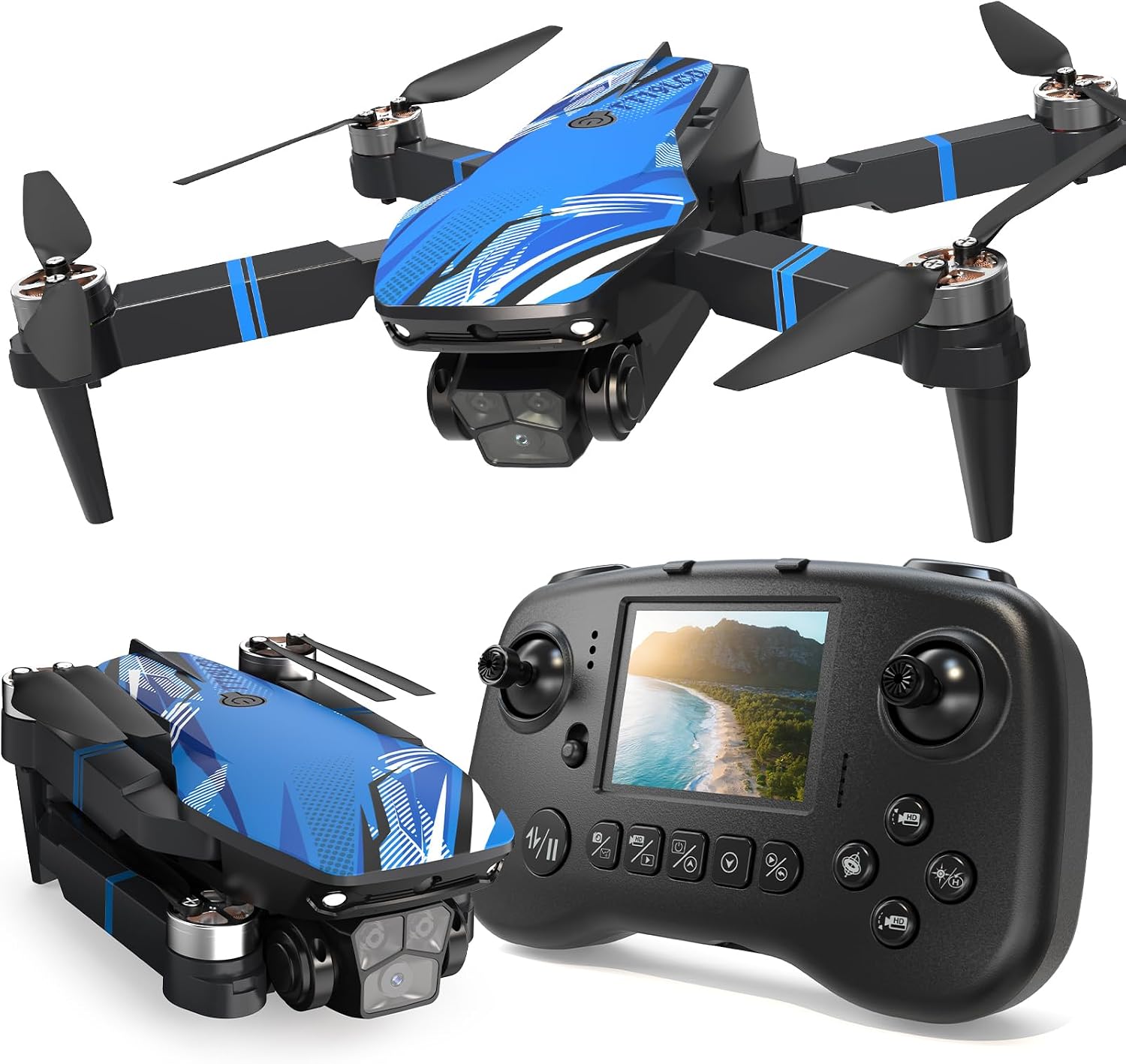
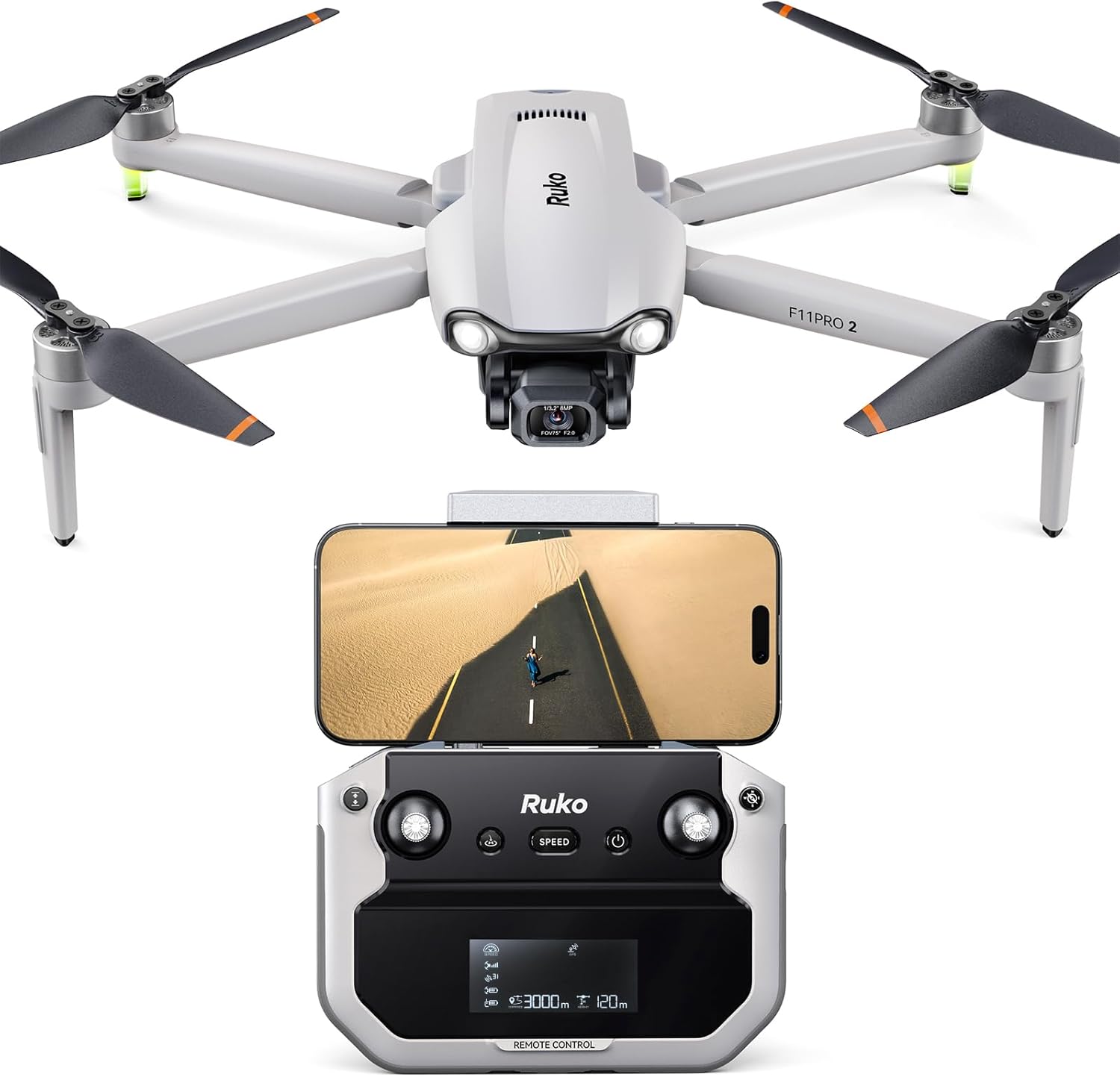
Foldable mini drone with LCD screen controller
Cheapest way in, sub-250g class, 32G SD card included, 270° obstacle avoidance, brushless motors
Small camera, no gimbal, wind moves it around more than you will like
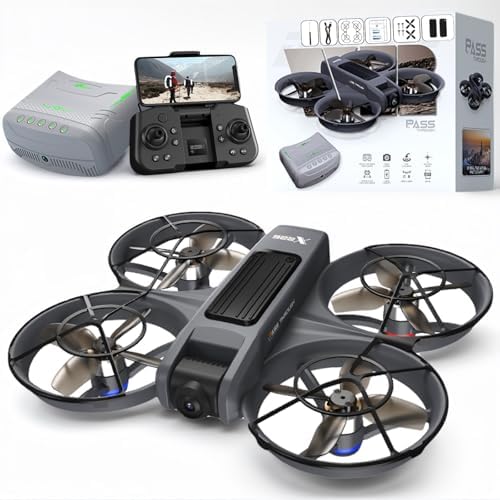
VR FPV drone with VR glasses and built-in propeller guard
Two batteries in the box, brushless motors, optical flow positioning, altitude hold, guard protects walls and fingers
No gimbal, and the VR glasses in this class are usually a shell for your phone rather than a standalone headset
FPV drone with VR glasses and dual camera switch
Dual camera switch, speed adjust, 3D flip, two batteries, 13 minute claimed flight time
That flight time is a lab number, and 4K from a small fixed camera is not 4K from a gimbal
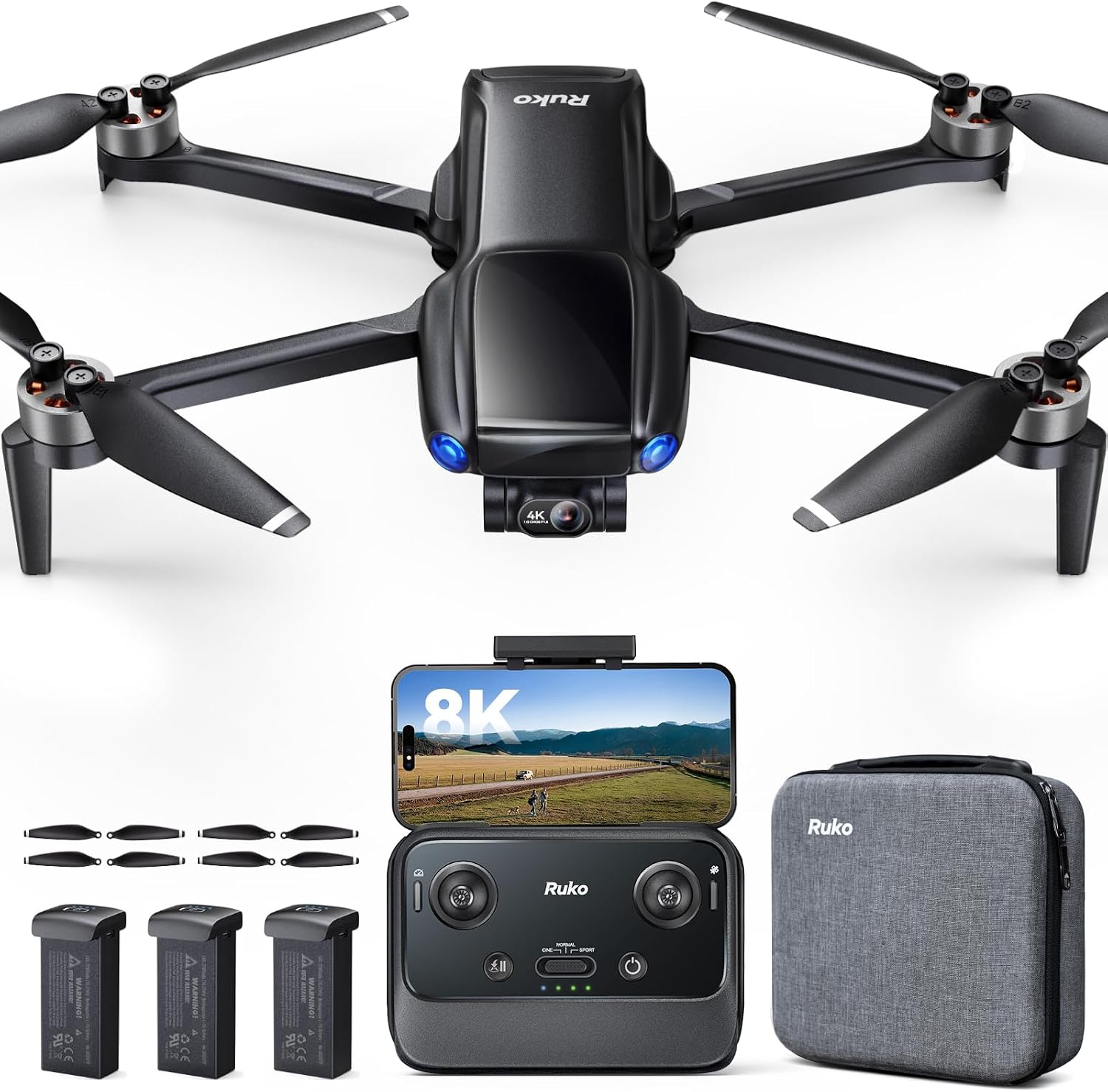
Bwine F7GB2 Pro with 4K UHD camera
Only true 3-axis gimbal in the group, which is the difference between usable footage and mush
Highest price of the four, no FPV goggles included, battery count is not stated in the listing
Prices and availability were captured from Amazon Creators API and may change.
What each of these four is actually for
Three of these are trainer-class drones and one is a camera drone, and those are different jobs. The fastest way to waste money is to buy the wrong job. If you want cinematic video, buy the gimbal. If you want the rush of first-person flight without crashing something expensive, buy the cheapest one that still has brushless motors. If you want to fly in your living room on a rainy day, buy the one with the propeller guard built into the airframe.
That sounds obvious until you read the listings, which all promise 4K and all promise fun. The names are doing a lot of work here, so let me translate them.
The gimbal pick: Bwine F7GB2 Pro
The Bwine F7GB2 Pro is the only drone in this comparison with a 3-axis gimbal, and that single feature is worth more than every other line in its listing combined. A 3-axis gimbal physically holds the camera level while the airframe tilts, yaws, and fights wind. Electronic stabilization, which is what the other three rely on, crops and warps the frame to fake that steadiness, and it falls apart the moment the drone has to move fast or the light drops.
If you have ever wondered why your phone footage from a drone looks like a paint shaker while someone else's looks like a helicopter shot, the gimbal is the answer nine times out of ten. The 4K UHD camera and the adult-focused design suggest this one is built for people who want a real aerial camera rather than a toy, and the price reflects it.
What it loses: no VR glasses in the box, so this is not an FPV trainer, and the listing does not say how many batteries ship with it. For me that is the first question I would ask a seller, because batteries are the real cost of this hobby and one pack is never enough.
The beginner VR kit: the X226 with VR glasses
This one is aimed squarely at the first-time buyer who wants the goggles experience. The feature list is the right one for that job: brushless motors, altitude hold, optical flow positioning, one key takeoff and landing, app control, LED lights, and a built-in propeller guard, plus two batteries.
Brushless motors matter more than beginners realize. Brushed motors in cheap drones are consumable parts, and when one dies you replace the drone. Brushless motors run cooler and last longer, which is exactly what you want in a trainer you will crash repeatedly.
Optical flow positioning is the other quiet win. It uses a downward sensor to hold the drone in place when there is no GPS lock, which is what makes indoor hovering possible. Altitude hold does the same job for height. Together they turn a twitchy little quad into something a nervous beginner can actually control.
The built-in propeller guard is the feature I would pay extra for. A guard means you can bump a wall, a curtain, or your own hand and keep flying. On a drone without one, that same bump is a new set of props, or worse.
What it loses: no gimbal, so video is stabilized electronically and will look it. And in this price class, the VR glasses are usually a shell you slide a phone into rather than a standalone headset, which means your phone is doing the display work and the experience depends on your phone. Check that detail before you buy if the goggles are the whole reason you are interested.
The step-up FPV option: dual camera switch and speed adjust
The third drone sits between the trainer and the camera drone. It also ships with VR glasses and two batteries, and it adds two things the cheaper kit does not: a dual camera switch and adjustable speed.
The dual camera switch is the interesting one. In practice that usually means one camera facing forward for flight and a second aimed down for overhead shots, so you can flip between a pilot view and a top-down view without landing. For a beginner learning to frame shots, that is a genuine creative tool, and it is the kind of thing that keeps a drone interesting past week three.
Speed adjust matters for the same reason. Low rates indoors, higher rates outside, and you can grow into the drone instead of outgrowing it in a weekend. The 3D flip mode is pure fun, and I will not pretend otherwise.
What it loses: the listing claims 13 minutes of flight. In Phoenix heat, my rule of thumb cuts any flight time claim by 30 to 40 percent, so plan on roughly eight to nine minutes of real flying per battery before the low-voltage warning starts flashing. Two batteries gets you a short session, not an afternoon. Also, 4K on a small fixed camera is a resolution, not a look. It will be sharp and it will also be jittery.
The sub-250g mini with the LCD controller
The fourth drone is the odd one out and my favorite value pick for a total beginner. It is foldable, it is in the sub-250g class, it comes with a 32G SD card, and the controller has an LCD screen for live FPV video, which means you do not need to mount your phone at all.
That last detail is bigger than it sounds. Phone-based control means your phone is the screen, the app, and the bottleneck. An LCD controller sidesteps the whole mess, and it is one less thing to fail on a windy Saturday.
The 270° obstacle avoidance is a safety net, not a pilot. I fly like obstacle avoidance does not exist, because sensors miss thin branches, power lines, and anything reflective. But for a beginner who is still learning which stick does what, having the drone stop itself before it kisses a wall is worth real money.
The sub-250g weight class is worth understanding. It sits under the line that triggers registration for recreational flyers in the United States, which is why so many beginners and parents shop in this bracket. Rules change, so verify the current FAA requirements yourself rather than trusting a listing or an article, including this one.
What it loses: the camera. A drone this light and this cheap is not a video tool, it is a flying camera for fun. In wind, it gets pushed around, and the footage will show it.
The trade-offs, stated plainly
Gimbal versus no gimbal is the biggest fork in this comparison. One drone has mechanical stabilization, three do not. If your plan is to post smooth aerial video, everything else on this page is a compromise, and no amount of resolution fixes a shaky frame.
FPV goggles versus a screen is the second fork. The two VR drones are built for the first-person experience, and that experience is the point of FPV. The LCD mini is built for looking at the drone while you fly it, which is a calmer, easier way to learn. There is no wrong answer, but there is a wrong answer for you.
Batteries are the third fork, and the one people ignore. Three of these four ship with two batteries. The Bwine listing does not state a count, so confirm that before checkout. Two batteries is the minimum for a session that lasts longer than your patience. One battery is a teaser.
Weight and rules are the fourth. The mini is the only one here advertised in the sub-250g class, which matters for how you register and where you are allowed to fly.
Flight time is a lab number, and heat is the killer
The 13 minute claim on the FPV drone is not a lie, it is a lab result. Manufacturers test in still air at room temperature with a fresh pack and a gentle hover. Add Arizona heat, a bit of wind, and a camera running, and you lose a third of it. That is not a knock on this drone specifically, it is how every drone on the market behaves.
Heat is also what kills batteries. I have lost packs to Phoenix summers that swelled and died at 80% health, and I have never once had a battery fail in a way that was convenient. If you buy a drone, buy spare batteries with it, store them at half charge, and never leave them in a hot car.
Which one I would buy
If you are buying for a kid or a nervous first-time pilot, buy the foldable mini with the LCD controller. It is the cheapest, it is the lightest, the controller does not depend on your phone, and the propeller guard and obstacle sensing give you room to make mistakes.
If you want the FPV experience and you are flying indoors or in a small yard, buy the X226 VR kit. Two batteries, brushless motors, optical flow, and a built-in guard make it the most forgiving way into goggles flying.
If you already know you like FPV and you want more camera options, step up to the dual camera VR drone. The switchable camera and speed adjust give you room to grow, as long as you accept that the 13 minutes is optimistic.
If you want video you would show a client, a friend, or a listing agent, buy the Bwine F7GB2 Pro. The 3-axis gimbal is the reason, and it is the only drone here that has one.
Before you click buy
Confirm the battery count in the box, because it is the difference between a hobby and a frustration. Confirm your phone is supported if the drone uses an app, and check recent app reviews rather than the drone reviews, since the app experience is part of the product and a buggy app is a drone that will not fly when you need it. Confirm the SD card situation, since one of these includes a 32G card and the others may not. And confirm the return window, because the honest test of any beginner drone happens on day two, not day one.
None of these four is a professional tool, and none of them pretends to be. They are entry points, and the right entry point is the one that matches the flying you will actually do rather than the flying you imagine on the product page.